
What are QR Codes Useful for
QR codes are useful for instantly connecting people to digital content without typing a link. They’re perfect for menus, product packaging, event tickets, business cards, and any place where quick, contactless access improves the user experience.How To Create a QR Code
1
Access the KlipLink Dashboard
Log in to your KlipLink account and head to the QR Codes section in the sidebar. This is where you’ll create, customize, and manage all your QR codes.
2
Create a new QR Code
Click the Create New QR Code button at the top of the page. You’ll see your current monthly QR code allowance displayed in the popup.
3
Enter Your QR Code Details
Fill in the fields in the creation form:
- Optional Title: Give your QR code a label so you can identify it later.
- Required Destination: Enter the URL you want users to open when they scan the code.
4
Customise your QR Code
KlipLink lets you style your QR code to match your brand: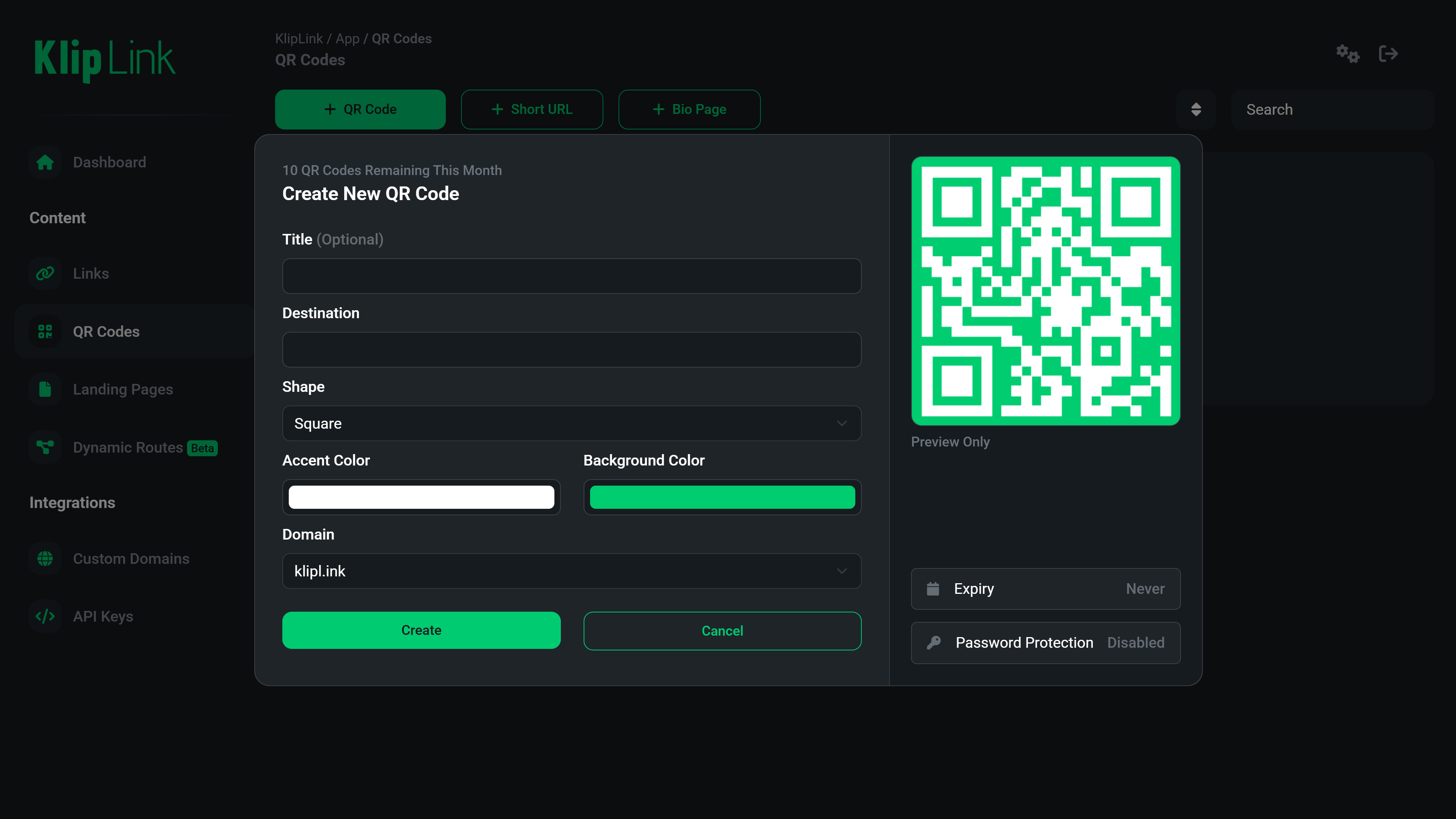
- Shape: Choose between square or rounded QR patterns.
- Accent Color: Set the color of the QR pattern.
- Background Color: Choose a background color that complements your brand.
5
Save Your QR Code
Once you’re happy with the design, click Create. Your QR code is now generated and ready to use.You can download it, print it, share it digitally, or embed it on posters, menus, product packaging, business cards, and more.To download your QR code, click Download and choose the file format you want to use, then click Download again. Available file formats are:
- PNG
- JPG
- WebP (May require upgrade)
- SVG (May require upgrade)
Benefits of Using KlipLink QR Codes
- High-resolution downloads for print and digital campaigns
- Brand-aligned customization options
- Track scans and engagement with analytics
- Update the destination link anytime — without changing the QR code itself
Analytics
Track scans and engagement across country, device, browser, time of day, and more.
Update the destination any time
Change where your QR Code redirects at any time, without changing the QR code itself.
High Resolution Download
Great for print and digital campaigns
Brand-aligned customization options
Customise to your brand’s needs